Digital Divide
In March 2020, when the country shut down and schools moved online, the digital divide was noticeable in my classes. While some students had consistent access to a suitable laptop and reliable internet connection, that was not the case for everyone. Some students were unable to attend synchronous classes or regularly complete homework because they had to share their devices with their children or a working spouse. Others were unable to access libraries or other locations that usually offer free internet access because of lockdowns. Additionally, because students were now studying from home, some who were overseas had trouble accessing content because of local restrictions or lacking high-speed internet infrastructure.
A recent report
released by the city of Toronto highlights the disparities between digital
access in the city. Some key findings from the report:
· Although more than 95% of Torontonians have access to
internet at home, fewer than 40% of households with an income of less than $70
000 have access that meets the Canadian Radio-television and Telecommunications
Commission (CRTC)’s target of 50mpbs.
· Most households have access to smartphones, but those in low-income
households have on average less than one computer in the home.
· Lack of adequate technology access disproportionally affects
low-income, newcomer, and BIPOC populations. (Andrey et al., 2021)
This video is from CNN (2021) highlights another key issue in the digital divide, which is
that this is not only a divide caused by varying levels of access to physical
technology but also varying knowledge about how to use it. Ensuring that all
students, whether they are children or adults, have access to a computer and
internet is great, but without the knowledge (or support of someone knowledgeable)
of how to use it, it is useless.
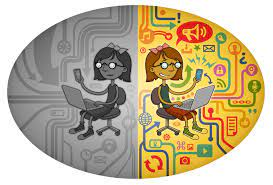
These disparities are not new, but they were
made more apparent by the pandemic. Moving forward, it’s important to consider potential
lack of access when preparing lessons. While an individual may not have the
power to supply their students with devices or internet access, they can design
their class in an inclusive way.
So, what can
instructors do? Ripton (2021) recommends that teachers first understand what
access their students have, and monitoring that throughout the semester. Then,
lessons can be designed with available technologies in mind. Additionally, he suggests
designing homework activities in ways that aren’t heavily reliant on technologies
that may not be accessible for everyone. Finally, provide access to computers, perhaps
by providing access to a lab at school, or helping students learn about free
options available to them (i.e. public libraries). Support these students with the
digital literacy skills that they may not have.
References
Andrey, S., Masoodi, M.J., Malli, N.,
Dorkenoo, S. (2021, January). Mapping Toronto’s Digital Divide. City of
Toronto. https://www.toronto.ca/wp-content/uploads/2021/07/95dc-Mapping-Torontos-Digital-Divide.pdf
EFF-Graphics. (2014). Neutrality 3 Large [[Image]. Wikimedia Commons. https://commons.wikimedia.org/wiki/File:Neutrality-3-large.jpg#filelinks
McMorris-Santoro, E & Pomrenze, Y. (2021,
January 23). How the digital divide is impacting online learning amid pandemic
[Video]. CNN. https://www.cnn.com/2021/01/23/us/education-digital-divide-in-coronavirus/index.html
Ripton, J.T. (2021, February 5) How
teachers can narrow the digital divide in their classroom. PowerSchool. https://www.powerschool.com/blog/teachers-can-narrow-digital-divide-classrooms/

Comments
Post a Comment